Friday, July 29, 2011

Telephoto Lens Mount for Your iPhone: Pretty Neat! #iphone


Buy the The iPhone 4 SLR Mount at the Photojojo Store!

Okay, I'm not an iPhone fan, but that is just pretty nifty! Use your left over SLR lenses!
This is one benefit of having only one phone form factor! (as opposed to wp7 and Android paradigm)

Thursday, July 28, 2011

Polycom Achieves Native Lync Support for Kirk 6000 Dect System #lync #polycom

It looks like Polycom joined the ranks of the native Lync supported Dect phones.
Aastra also has a certified solution using SmartSIP to cross the SIP divide.

More Details Here:
http://supportdocs.polycom.com/PolycomService/support/global/documents/support/technical/products/voice/KIRK_Wireless_Server_6000_Solution_Microsoft_Lync_Server_2010_Setup.pdf

My Source: click here

ATT Store Rep Tells Me "WindowsPhone Is Very Hard to Use" #wp7


PART I
I believe AT&T and Microsoft have some serious work  to do. Today I called my local ATT Store here in Ephrata Pennsylvania. I asked if they carry Windows Phones. His answer:

Rep: "We do not carry the Windows Phone because it is not popular..."

Me: "Why?"

Rep: "They are kind of hard to use if you haven't used them before---"

Me: "Why are they hard to use?"

Rep: "They are just very hard to get used to at first---it is also some personal preference"

Ahem! Do I get the very distinct feeling this mobile phone salesman never even saw a Windows Phone in action? Hard to use?!

And remember he told this to someone who is actively and ONLY looking to buy a Windows Phone!

Microsoft: AT&T's sales reps need training very bad.
ATT: Train your sales reps.

PS- Another freind who experienced the exact same thing:
http://twitter.com/iusewindows/status/96606558980554752

PART II

Since our local store did not stock a Windows Phone I headed in person to the Lancaster AT&T store. But first I decided to call and make sure they knew something about Windows Phone and...right on the menu it says that AT&T sells "Android, iPhone and Windows phones".

When I arrive at the the store I notice there is no display for Wp7--they are actually under a poster for Android. I asked "What can you tell me about Windows Phone?" The helpful sales lady responds "They are new and I just got back from vacation so I actually don't know much about them but Travis can help". Next I talk to Travis who is the store expert on Windows Phone 7.


Me: "What can  you tell me about Windows Phone" I asked Travis.

Travis: "Well, Android is powerful and can do flash and Windows is simple and not powerful."

Me: "Anything more?"

Travis: "Well Windows phone is simple and they have these tiles..." He went on to demonstrate how you can easily remove one. "Windows phone is simple for people that just want to get in and do stuff. Android is best because it is powerful and does flash, Windows phone is in between and iPhone is worst." Then he noted an insider tip "Sometime an update called Mango is going to come out and will improve Windows phone. I had a Focus but I got an Android to do flash."

Me: "I'll take the HTC HD7S along."

I just talked to the most knowledgeable AT&T Windows Phone expert in Lancaster. And his advice? Get an Android.

Wednesday, July 27, 2011

New Video on Coming Lync Client for iPhone, iPad and Android by Damaka #lync #iphone #android

Damaka Lync Client Main Screen
Incoming video or voice call
In Progress Video Call

One unusual aspect of the coming Lync client by Damaka is that it does realtime media on mobile device.

Here is the video:


Mobile Video & MS Lync from Damaka Inc on Vimeo.

Source:
http://vimeo.com/21940326

Microsoft Lync Server Pros and Cons #lync #cisco #avaya


I was just reading this article by Shane O'Neill on the pro's and con's of Microsoft Lync Server 2010 and thought they were interesting. He mentions these pros and cons:

Pros:
Smooth Merger of Technologies
Better bandwidth management
Price Benefit: (Lync CALs $241 to Avaya's $250 and Cisco's $500 mentioned)

Cons:
Uses a lot of bandwidth because it makes doing video and screen sharing so easy
Underlying IT needs to be running correct
Will users be more productive by being more interrupted?

Read the complete article:
Click Here

Tuesday, July 26, 2011

snom Touts "Solutions": Business Telephone Solutions #snom #lync #polycom #aastra


It looks like snom is focusing on the new theme of "Solutions". Their solutions include something for every size business from the Soho to the Enterprise. In the soho space they are counting on their snom ONE PBX and for Enterprise they are pointing to Microsoft Lync Server 2010 and Estos.

My opinion? They have a solid lineup at the core with snom ONE phone system and Lync Server 2010. But what has snom's focus is the endpoint and their answer there is the 8xx and 3xx series. The 3xx series handsets are aging design-wise but the firmware has continued to be updated is actually quite advanced as they work with Lync 2010 and can show presence! In the DECT space snom has one bet: the snom m9. The m9 has Lync compatiblity* and IPv6 baked in which is an industry first. (Aastra and Polycom DECT still seem to be depending on servers to convert from SIP to Lync for certification)

Checkout their new web page dedicated to this communication:
http://www.snom.com/en/solutions/

Download New Brochure:
http://downloads.snom.net/marketing/snom_Broschure-telephone-solution.pdf

* The handset works with Lync but is currently not certified.

Monday, July 25, 2011

How About a Free Web Chat Widget for Microsoft Lync? (no silverlight needed) #lync


Up until now the solutions available to provide chat capability to your website using Lync have been:


http://www.evangelyze.net/smartchat.asp
Cons: Silverlight requirements, cost $1800 per agents seems a bit high if low functionality needed
Pros: Very slick and nice features

http://unified-communications.blogspot.com/2010/09/ocs-webchat-also-works-with-microsoft.html
Notes: Hosted

Now developer Thomas Stock from Orbitone has a produced a free Lync presence and chat widget that will allow your customers to chat to you from your website. I haven't had a chance to test it yet but my first impression is: Someone did a very nice job on this. I glanced at the documentation which looks well laid out and thorough as well. Go check it out!

Blog and Download:
http://www.orbitone.com/en/blog/default.aspx
http://lyncwidget.codeplex.com/

Try it out right now:
http://lyncpresence.orbitone.com/

Thursday, July 21, 2011

New Gartner SWOT Says Microsoft Lync Weakness is Mobile: Microsoft Says "Coming Soon" #wp7 #lync #android


According to twitter user Andre Blumberg, Gartner has a released a SWOT that identifies mobile as Microsoft Lync's weakness. To those of us using Lync this is no surprise. According to sessions at WPC 2011 we can count on Microsoft to resolve this before the end of the year.You can see screenshots of the coming WindowsPhone7 Lync client here.

It looks likes some ISV's plan to assist in resolving this as well in the form of Lync client that includes Voice for iPad, iPhone and Android in the form Xync. Click Here for more.

Source:
http://twitter.com/aublumberg/status/92125850211852288

UPDATE: This same report puts Microsoft Lync as the only "Strong Positive" in IM and Presence space!
http://www.gartner.com/technology/media-products/reprints/microsoft/vol14/article7/article7.html
 

snom ONE PBX for Windows Installation Made Even Easier in New v4.2 Release #snom


The technical installation of the snom ONE PBX has to be the quickest and easiest installation in the industry. The snom ONE installation file is a mere 16mb. Seriously. It installs in just a minute with several clicks. It even includeds an autoattendent and 10 extensions setup for you right out of the install. See it


One small gotcha in past installations in the past could be that the snom ONE PBX would not start if port 80 was in use on the system you installed snom ONE. In b4025 it appears that snom ONE will run but the web console will just be disabled until you fix the port issue. I think that makes a simple install even simpler.

See all the new features/fixes in 4.2.1.4025:
http://wiki.snomone.com/index.php?title=Release_Notes

Wednesday, July 20, 2011

Questions About Microsoft Lync Server and Music on Hold #Lync #snom #polycom


UC holds the promise of a new model of communication where being "on hold" happens less often. In the real world sometimes there is no other option but "holding" and because of this soothing music on hold to keep our callers happy is expected.

With Lync Server there are some questions I see coming up about music on hold and I thought I would take a crack at trying to answer some of them and clear some of the smoke and fog rolling across some new Lync administrators minds.

The Lync EndPoint Provides the Music on Hold?!
My exact question (including the incredulity) the first time I saw this. But you are reading correctly--Lync Server depends on the endpoint to provide the musak on hold. There is one exception: If the call is going through a Response Group then the Group can provide the music on hold.

How Do I Setup Music on Hold on the Lync Client?
In the Lync client click on "Options" and then on "Ringtones and Sounds". As shown on the screen below in the "Sounds" section you will see an option to set the WMA file you want to use as the music on hold. This may be greyed out if the admin has designated this from a policy.


Does Music on Hold Work With Calls Through a PSTN Gateway?
From my tests it does fine. I tested these scenarios:
  • Lync call to an Enterprise Voice Lync User
  • Call from outside the organization through a PSTN Gateway
In all these scenarios music on hold seemed to work fine. I believe the fog around music on hold not working through a gateway or in some senario may be in cases where the Lync admin did not allow enough time for the policy changes to propagate the whole way through the system.
There is no music on hold option if the Lync user is not an Enterprise Voice user so if a non EV user puts someone on hold there will not be MOH. (just a standard "beep beep beep")  But if a non Enterprise Voice user calls an EV user and the EV put the call on hold there can be MOH.

How Do I Centrally Set the Music on Hold for Users?
This is a snap using a powershell script. Ken's UC Blog does a great job of explaining this. With these powershell scripts you can easily change large groups of Lync users music on hold centrally and ensure they get what the admin wants as music on hold. Or you can be extremely granular and let each decide what they want.

Get-CSClientPolicy Global
Set-CSClientPolicy Global -EnableClientMusicOnHold:$TRUE

Note that if you EnableClientMusicOnHold from a policy you also need to designate what music on hold file according to Doug Deitterick. I noticed this same behavior on our own system.

NOTE: After you make these changes you MAY need to wait an hour or more till the changes propagate the whole way down to your client. A great way to ensure the changed came down to your client is to change the WMA file to some location other than the default. You can see then in Lync client exactly when the change has occurred.

Why Does The Hold Button on My Polycom CX600/500 or Other Lync Phone Edition Device Not Play MOH?
Sorry to break the news friend, but the music on hold button on these devices does not play music on hold. Consolation? If you have a Lync Phone Edition device that is tethered with "Better Together" tether (like how that rolls of the tongue? ;-) then if you press the hold button on your PC Lync client the other user will get music on hold. Yeah, I know--not so cool--but at least on option.

Does the Hold Button on the Polycom CX300 Play Music on Hold?
Yes! Since the hold button on the USB Polycom CX300/Plantronics Calisto P540 really is merely pressing the hold button on the Lync client it works fine. (always hate it when a cheaper device has a feature that more expensive unit doesn't)


Does the Hold Button on the CX200 Work?
Just had to throw that in there--actually there is no hold button on the CX200. And--hang on a minute--who is using the CX200 anymore?! ;-)

Does snom OCS Edition Have a Hold Button That Plays Music on Hold?
Still testing this. Since the snom phones can listen to/use a multi cast stream to provide music on hold to caller they theoretically should be able to provide their own music on hold but I need to verify if they can.

If anyone else has Lync music on hold real life experience they wish to share, please do so in the comments.

More Details on Setting the Music on Hold (Powershell, etc):

Tuesday, July 19, 2011

Thanks for Recommending the 3CX IP PBX Tutorial Book Orlin Shopov #3CX


A new user was struggling with the 3CX Windows PBX and 3CX forum user Orlin Shopov gave this excellent recommendation:
Read the admin manual or try searching the internet for the book  'The 3CX IP PBX Tutorial' - it can be very useful...
Okay, so I admit I am the co-author of the 3CX IP PBX Tutorial along with Robert Lloyd. And, yes, I guess I'm a little biased here. ;-) But may I recommend if you need 3CX you  check with http://eagle-engineering.net/ ?

Also if you are looking for consulting or technical support related to 3CX, Microsoft Lync Server 2010 or the Windows based snom ONE PBX let my company know! http://www.landiscomputer.com/.

Get the book at Amazon:
http://www.amazon.com/3CX-IP-PBX-Tutorial/dp/1847198961

Source:
http://www.3cx.com/forums/newbie-to-phones-etc-21063.html

Monday, July 18, 2011

Just Read "Microsoft Lync Server 2010 Unleashed": My Opinion? Go Get It #Lync @alexlewis


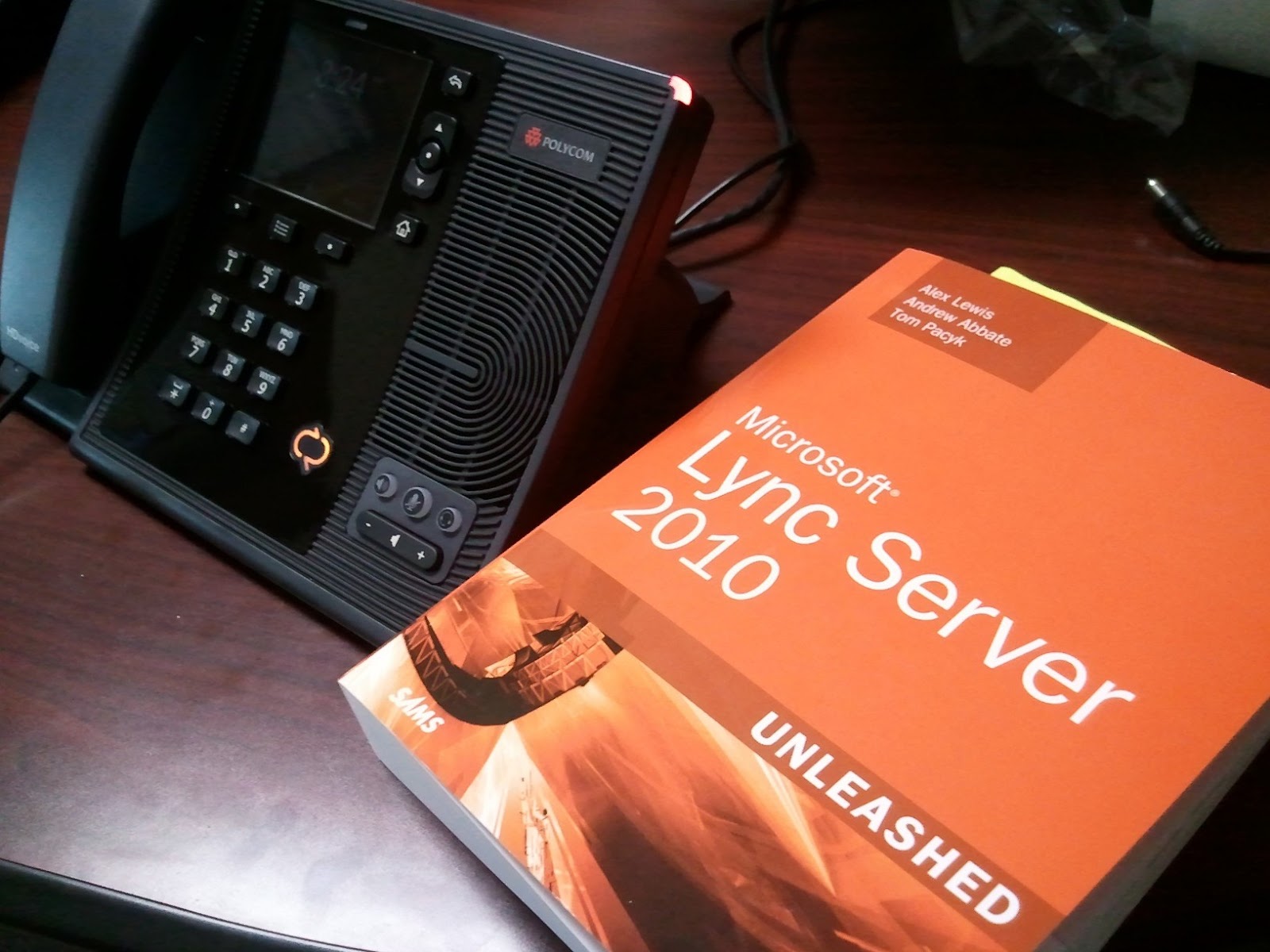
You can surf a hundred blogs and forums...or you can get "Microsoft Lync Server 2010 Unleashed" to get the big picture of what Lync is and how you go about implementing it. This books killed a LOT of trees weighing in at 798 pages but Lync Server is a big subject. And, considering how much fossil fuel will be saved by the implementing Lync I think total net impact to the environment should be a gain. ;-)

A couple things that I think are particularly helpful: The step by step walk through of installing the different Lync roles gives you the overview of how to do it before you start. Also the call out "Tips" and the "Best Practices" section at the end of each chapter in my opinon are very nice. Frankly, if your installing Lync and don't have the time to read all 798 pages, just jump to the "Best Practices" before you install a role and get your "1 minute presidential briefing".

If you are looking for specific steps on how to install a PSTN Gateway or just want to fumble through installing one role you may do better looking to blogs and forums, but if you are really trying to understand Lync and want an encompassing picture of Lync go out and get "Microsoft Lync Server 2010 Unleashed" --It's worth it.

Get it here:
http://www.amazon.com/Microsoft-Lync-Server-2010-Unleashed/dp/0672330342

Friday, July 15, 2011

More Details & Screenshots of Lync for Windows Phone 7 from WPC 2011 #lync #wp7 @wpcentral


my status


splash screen


settings

change your status

contact list

collapse or expand contact list

ongoing conversations

tile
-This is Alpha version
-Free download with Mango
-Set forwarding status from WindowsPhone
-Photos from Exchange address book can be set to on or off.
-Lync will be integrated to other experiences on the phone (does this mean it will be integrated into messaging? would be nice)
-Available later this year.

It can't come soon enough!

See the video for yourself:
http://mobile.digitalwpc.com/presentation.asp?presId=432
from minute 20:44 to 22:23

PS-I see tommy clarke has blog about Xync (lync client) coming later this month! Head over there:
http://www.ultimate-communications.com/2011/06/new-3rd-part-ios-and-android-client-for-lync-coming-soon-lync/?utm_source=feedburner&utm_medium=feed&utm_campaign=Feed%3A+UltimateCommunications+%28Ultimate+Communications%29

snom OCS Administrator Guide


Just came across this OCS/Lync manual for snom OCS Edition. Hmmm.

See Here:
http://www.snom.com/fileadmin/redakteure/docu/OCS_Book.pdf

Thursday, July 14, 2011

Using the Patton Smartnode 4960 With snom ONE and Comcast PRI (USA)


We just implemented a Patton Smartnode 4960 on an exsisting snomONE PBX implementation. The installation went quite smoothly (with just a little help from Patton's execellent support). We thought we would share the SN4960 configuration so anyone else doing it could move ahead even faster.

Download it here:


Here is how the trunk is setup in snom ONE pbx:


You may also want to see Patton Config Tool:
http://windowspbx.blogspot.com/2010/12/patton-provides-free-pstn-gateway.html

Most Recommended PSTN Gateway Report:
http://windowspbx.blogspot.com/2010/02/most-recommend-pstn-gateway-patton-411x.html

Tuesday, July 5, 2011

French snom and snom ONE Resources? Look No Further than snom Blog Maroc! #snom


Has written a sample VB.net app to demonstrate snom ONE API, SQL tool for snom ONE and I've now been notified that there is also blog goodness...check it out.

http://blog.snom.ma/
http://twitter.com/SnomMaroc

Or automajically translated to english for all the rest of us:
http://www.microsofttranslator.com/bv.aspx?ref=Internal&from=&to=en&a=http://blog.snom.ma/

Monday, July 4, 2011

Hands On Look at the Polycom CX600 Lync Deskphone

Just spent a little time with the Polycom CX600 deskphone.

-Sits very solidly on your desk (very grippy feet--very nice)
-"Better Together" USB tether is very nifty
-Adjustable tilt has an interesting mechanism to

Tips:
-You may need to wait a while till the unit logs into your Lync Server
-Without the "Better Together" tether--not simple to provision just one of these

Lync Phone Edition VS snom OCS Edition?

Lync Phone Edition Pros:
-Better Together USB Tether
-Better large scale builtin provisioning
-RTaudio codec a big plus
-The firmware/screen responds very snappy-nice
-Very easy to use and logical User Interface (looks very cool to boot)
-3 angles of tilt

snom 821 Pros:
-Connect to standard SIP or Lync
-Connect to SIP and Lync at the same time
-Key pad on snom 821 bigger and more solid feel (perhaps my opinion?)
-Web based administration makes for simpler provisioning (if you don't have "Better Together" usb)
-ability to change presence from the deskphone
-Dedicated "Call" and "Hangup" buttons (compared to cx600's soft keys)
-WIFI option

Resources:
http://support.polycom.com/PolycomService/support/us/support/voice/cx/communicator_cx600.html
http://wiki.uky.edu/lync/Training/Microsoft_Lync_2010_CX600_Device_Training_RTM.pdf

Friday, July 1, 2011

Lync Client Device That Does Loud Speaker, Public Ringer, Door Phone and DTMF Automation!

snom has released a very interesting Lync interoperable device that quite a few interesting features:
  • PA/Loudspeaker/Intercom
  • Public Ringer/Ringer over PA
  • Door Phone/Door Controller
  • Automation/Remote Control
This device would be interesting enough as the first Lync PA device, but when you add all the various things it can do together, plus that it can be a SIP or Lync device, PLUS a MSRP of $169... this device is just interesting.

Read more here:
http://www.snom.com/en/products/sip-paging/snom-pa1/