


If you are a really small business that wants Lync in your organization you are probably wondering: What is the fewest servers? How little RAM do we need? Etc. (well, maybe your really wondering how soon you can get Office365, but...) Lync is meant for the big boys, but in the latest rendition, Lync 2010, the installation complexity, server requirements haved been dramatically reduced. The question is just exactly how reduced?
We are doing testing to see what is the absolutely lowest requirements for a small Lync Server 2010 installation. In our test senario we need to support 20 users for PC to PC IM, presence, desktop sharing, and small multi-party video and audio. (maybe 3 participants). We are only supporting inside the firewall communications and no PSTN/Ent. Voice at the moment.
Since we already have Microsoft virtualization setup we spun up a Windows 2008 Server Std. Edition with 1GB of RAM as a test VM. (Yes, that is correct, 1GB of RAM! From previous lab tests I know this does work in a lab environment--). In previous lab tests we've used the HP Proliant Microserver as the Lync Front End and it also worked fine as a lab. (this is a $400 approx. server from HP). Now remember I'm not recommending this, just seeing how low we can go. ;-)
We already have Windows Server 2008 Active Directory and Exchange 2010 in place so we are not mentioning that, but you will need at least AD in place as well.

The installation of Lync 2010 Server took approximately 2 hours on this OS/VM. Manually installing & configuring approximately 15 Lync clients (installing Lync client, which removed Communicator and switching credentials from BPOS, adding a company group to each Lync client) took approximately another 2hours.
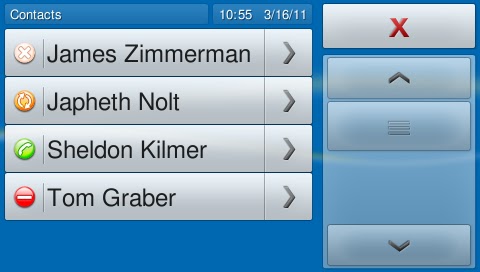
I decided to integrate an existing snom deskphone that we already are using with our IP PBX and this was about 10-15minutes for 1 phone. Steps: #1-download the snom Lync firmware. #2-update the snom phone firmware #3-provision the snom phone. You can download the snom OCS/Lync firmware here or get it from your favorite snom partner. (this would be Landis Computer ;-). Provisioning is just typing your credentials in as shown below! Yeah, that simple!

So lets say a day install if someone has good AD infrastructure in place for a really small and simple Lync Server installation.
So now we are installed and ready for users to hit the system! Will 1GB actually work!? Well... it looks like 1GB is just a little too low. We've been getting ocassional notices that "Limited functionality is available due to outage". Then presence via a list of users is disabled...but we are noticing that users can still IM if they search for the user using "Find a contact"!

UPDATE: After the first day the system seems to be running on 1GB of memory. It seemed that Lync users manually changing presence for first time during the first day triggered heavy MS SQL usage for about 5 minutes, which means the system pushes CPU to 100% for about 5 minutes causing the "Outage" message. Otherwise system RAM usage settles at about 900-950MB. The processor seems to run about 15% avg. with ocassional 100% bursts. Doing a Lync "screen sharing" session has no apparent effect on CPU/RAM. [Below is typical load on the 1GB VM.]

So will 2GB work? We'll check. ;-) I'm hearing reports of users with a 50 client system working on 4GB of RAM in the real world. But 1,2,4 or 12GB isn't the real question here. If Microsoft recommends 12GB, trying 1GB is probably stretching expectations! The point is that Lync Server 2010 requirements have been dramatically reduced and Lync has become drastically simpler to implement.
Lync will be coming to small businesses near you. Whether in the form of Office365 or on premise servers, expect Lync to show up in businesses all over.


